Written by
Nacho Seoane
Published on
Share
A custom client portal is worth considering when it organises recurring work that your existing tools do not handle well. It can bring together documents, requests, deliverables and approvals, with a clear view of what each person needs to do.
If the problem is simply sharing files, organising folders and permissions may be enough. If every delivery means finding the latest version, chasing approval and explaining the project's status again, there is a workflow worth examining.
TL;DR — When to build a client portal
- A client portal is a private space for viewing and completing service-related tasks. It becomes useful when it brings together deliveries, decisions and history that people currently reconstruct across messages and documents.
- Compare 3 alternatives before building: existing tools, a platform and a custom portal. The right choice depends on the workflow, permissions and connections your team needs.
- The first release should complete 1 useful journey. This guide's example follows 5 steps, from publishing a deliverable to checking the client's decision and continuing the work.
- Check permissions on every request, including files and downloads. Test at least 2 client spaces to verify that one person cannot access another client's work.
- Calculate the full cost, including adoption. Design, development, integrations, hosting, support and team preparation all matter. An unused platform does not solve coordination problems.
- Our recommendation: validate a recurring task with users first. Build when the workflow is useful and existing alternatives have a specific limitation that justifies owning a custom product.
What problem should a portal solve?
The portal should make the status of work visible and let people act on it. A private area full of documents may still leave users unsure which version to review or what needs to happen next.
These situations can help identify a concrete need:
- The client asks for updates because they cannot see the current status.
- Feedback on a deliverable arrives through different channels and conflicts.
- An approval is not linked to the version that was reviewed.
- The team asks again for information it has already received but cannot find.
- Each client has different permissions or steps that are managed manually.
These situations do not all justify custom development. First, observe an actual workflow and locate the problem. The GOV.UK Service Manual recommends investigating the problem, users and constraints before assuming the proposed solution needs to be built. Source: How the discovery phase works.
Organise existing tools, buy a platform or build?
The right choice depends on how closely your process matches what an existing tool already does. Before commissioning a portal, test that fit with a complete task, including awkward cases.
| Alternative | When we would consider it | What to check before choosing |
|---|---|---|
| Existing folders and tools | Sharing and finding documents is the main problem | Permissions, organisation and someone responsible for maintaining it |
| A management platform with client access | Its requests, statuses and notifications fit the process | Client experience, plan limits and data export |
| A custom portal connected to existing systems | The workflow, permissions or integrations have specific requirements | Initial scope, maintenance and product ownership |
For example, Jira Service Management supports customers submitting requests through portals and other channels. If the main need is receiving and tracking requests, a tool of that kind is worth evaluating. That does not mean it covers every review or delivery process. Source: Customers and organizations, Atlassian.
A business website can sit alongside that private space. You can offer a specific client function without turning the entire website into an application.
What should the first release include?
The first release should complete a useful journey from beginning to end. One deliverable that can be reviewed and resolved is more useful than several screens that still depend on email to finish the work.
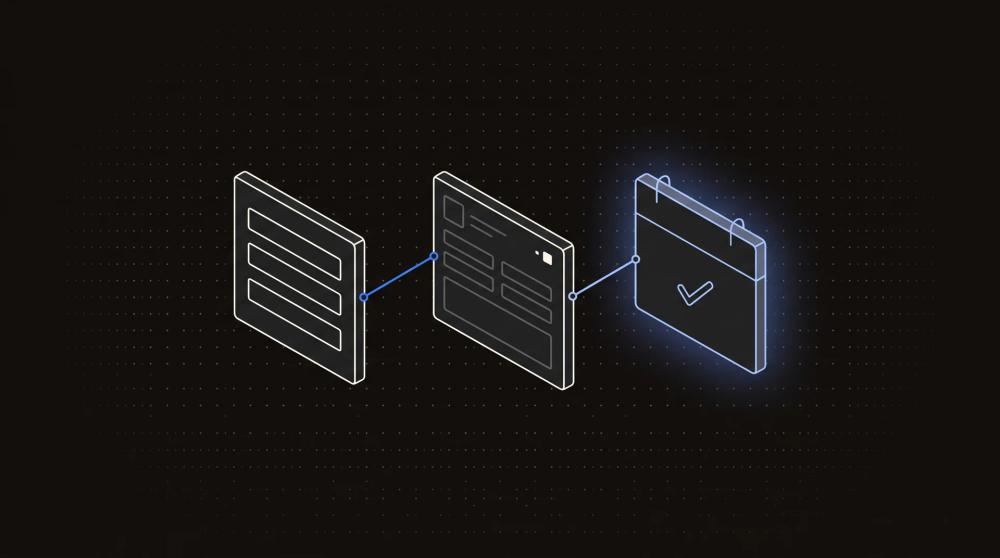
Consider an illustrative example: a company delivers documents to clients and needs their review before proceeding. The workflow might be:
- The team publishes a deliverable with its version and the action required.
- The client accesses only their own space.
- They review the document and request changes or approve that version.
- The team receives the response with the context of the deliverable.
- Both sides can see what happened and what comes next.
To support that journey, we would start with access, deliverables, comments, statuses and history. Billing, chat, electronic signatures or AI would need an additional requirement to justify inclusion. Approving content also does not, by itself, replace a contract-signing process.
Permissions are part of the product
Access must be checked on every server request, including files and downloads. Hiding an option in the interface does not stop someone trying another route to the information. OWASP recommends checking authorisation on every request and granting only the permissions needed. Source: Authorization Cheat Sheet.
Test with at least two separate client spaces and verify the separation between them. Also check what happens when access is withdrawn, a file is replaced or someone tries to open an old link.
How to decide whether the development is worth it
Compare the work it solves with the cost of building, running and getting people to use it. A portal can be technically complete and still fail to fit its users' routine.
Before estimating the project, collect a sample of current deliveries. Record the time spent preparing them, answering status questions, gathering feedback and confirming a version. This helps identify which part is most worth simplifying.
Then test a prototype with people who would do that work. Ask them to find a deliverable, understand what is requested and complete the review. Observe where they hesitate before explaining how the interface works.
Separate these costs in the budget:
- Research, design and development of the initial workflow.
- Connections to existing tools and potential API limits.
- Hosting, storage, email and other licences.
- Maintenance, support and later changes.
- Data preparation and support for the team during adoption.
We would start when there is a recurring problem, a workflow that can be validated and someone who can own the product. If the way you deliver the service still changes every week, organising that process may be a more useful first investment.
Frequently asked questions
The portal needs a clear role within your service and existing tools. These questions help define the first release and how to put it into use.
Does it replace the CRM?
The CRM can manage the commercial relationship while the portal supports collaboration during the service. If they share information, decide which system owns each piece of data and how the other is updated. That keeps the team and client from working with conflicting versions of the same information.
Do all clients need to start using it at once?
You can start with a small group of clients and one type of work. Define how they receive access, where they ask for help and which channel to use if something fails. Include the internal team in the trial; if they still keep a parallel manual record, find out why.
Can we add more features later?
Yes, with a coherent foundation for data, permissions and components. That does not make every change free. Review how each new feature affects existing data, access and users. Ask the scope to explain what the initial release prepares for and what would need a separate phase of work.
How do I know whether an existing tool is enough?
Try a complete task using your documents, users and access rules. Check whether the client understands what to do, whether the team can track the work and whether you can export your data. Record the limitations: they give you a basis for comparing adaptation with custom development.
Does the portal need AI from the start?
No: access, deliverables and approvals can work without AI. First check that people use the workflow and that it reduces coordination. Then evaluate a specific addition, such as finding documentation or summarising feedback. Each feature needs authorised sources, appropriate permissions and a way to verify its responses.
Final recommendation
Build a custom portal when you can identify the workflow that existing alternatives cannot handle. We would look for 3 conditions: a recurring problem, a user test that confirms the benefit and someone responsible for maintaining the product. If you only need to share documents, start by organising access through your current tools.
If the problem occurs before the service begins, when receiving and assigning requests, first review the journey from website form to CRM. A portal can be a later phase.
In summary
- Evaluate 3 alternatives before commissioning a portal: existing tools, a platform with client access and custom development. Compare the complete journey, including permissions.
- Find 1 recurring problem the client recognises. Status questions, reviews of the wrong version and missing approvals are signals. Investigate their cause before choosing a solution.
- Complete the 5 steps of a delivery: publishing, access, review, response and history. A useful first release finishes that work without requiring it to be reconstructed in another channel.
- Test at least 2 separate client spaces. OWASP recommends checking authorisation on every request. Separation must cover documents, downloads and access that has been withdrawn.
- Review 5 cost areas: development, connections, infrastructure, maintenance and adoption. Looking only at the build leaves out part of the effort the product requires.
- Validate 3 actions in the prototype: finding the deliverable, understanding the request and completing the review. Observe hesitation before explaining the interface.
- Start with 1 workflow and expand based on usage. GOV.UK's discovery approach helps check needs and constraints before committing to development.
Sources and references
These sources support problem discovery, the comparison of alternatives and access control. The review workflow is illustrative; the approach to scope and evaluation is Apogeo's recommendation. Sources consulted for the original article on 30 September 2026.
- GOV.UK Service Manual: How the discovery phase works. Investigating needs and constraints before development.
- Atlassian: Customers and organizations. An example of a platform with client access and request management.
- OWASP: Authorization Cheat Sheet. Checking permissions on requests and applying least privilege.
The first step before building a portal
Choose a part of your service that currently takes too much coordination. Describe what the client needs to see, which decision they need to make and what happens afterwards. That journey is a concrete basis for comparing tools or designing your own product.
At Apogeo, we approach digital product development through that problem and how people do the work. To explore a portal, tell us what you deliver, how you collaborate and where time is lost. We can help define a first release that makes sense for your team and clients.